The Open Web Application Security Project (OWASP) is focused on enhancing security of application softwares. It offers various documents and tools for this purpose. WebGoat is one of such a project of OWASP which is designed to teach web application security lessons. Here is a guide how to install WebGoat in a windows environment.
use the following link to download WebGoat-OWASP_Standard-5.2.zip
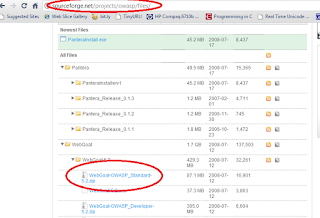
Extract the zip file downloaded that will result WebGoat-5.2 folder. There should be two bat files inside this folder named webgoat.bat and webgoat_8080.bat
Doulble click on any of the bat files to start Tomcat for browsing WebGoat directory.
To start browsing WebGoat directory give http://localhost/WebGoat/attack on the address bar of the browser.
Then it will probably ask for an username and a password, give "guest" for both username and password.
Follow the series of lessons they have provided for web application security.

